Courses/AI Kitchen/Episode 1
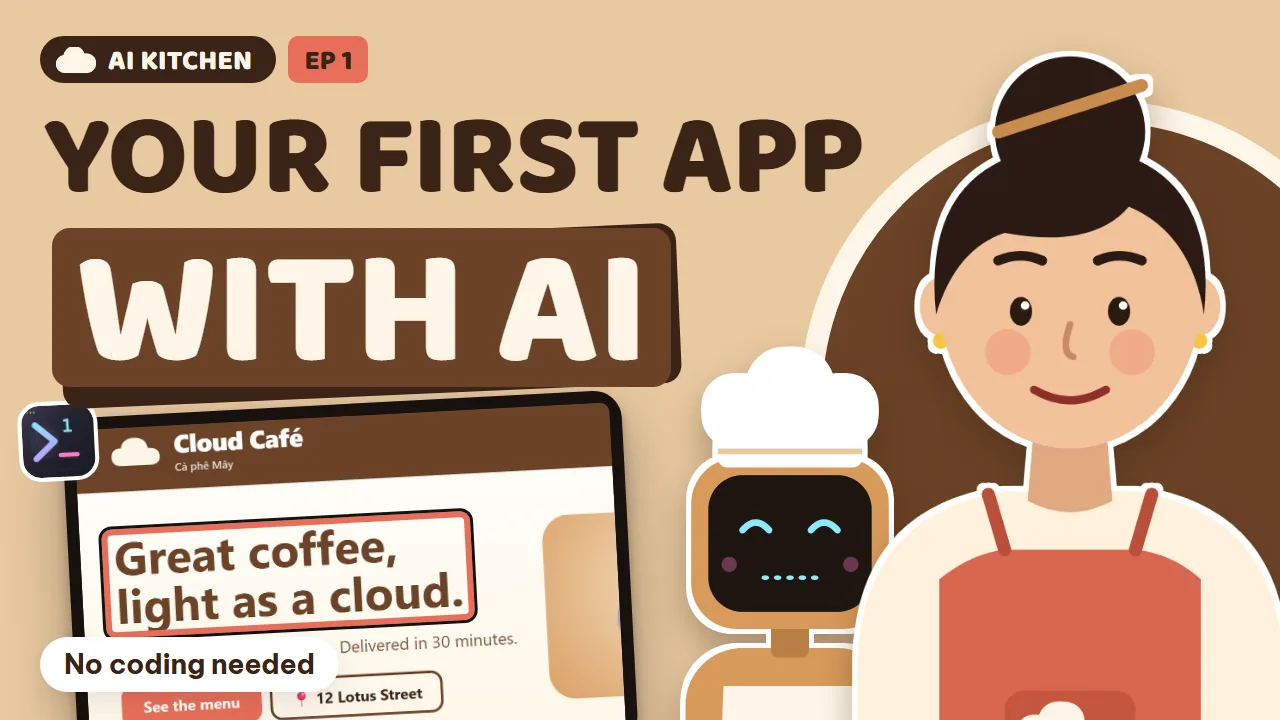
Your first app with an AI chef
A website quote of 20 million đồng sends Lan to her cousin Tú, who teaches her to run one AI chef: order, taste, save, open the doors.
Lan opens a café and needs an ordering site. Tú shows her the kitchen: the project folder, the AI chef, the order ticket (prompt), tasting before serving, the save-game button (git), many chefs in one kitchen, the order book (database), watching the kitchen from the market (her phone), and the grand opening.
28 new words, from Folder to Deploy.
What you will learn
- Think of your project as a kitchen, AI agents as chefs and your prompt as the order ticket
- Write a clear order ticket (prompt) and taste before you serve (check the result)
- The save-game button: git and the history of every save
- Many chefs in one kitchen, and the order book (a database)
- Watch the kitchen from the market: open the app on your phone
- Grand opening: put the website on the internet (deploy)
- Code
- a recipe for the computer
- File
- one recipe sheet
- Project
- the kitchen
- Vibe coding
- describe it, let AI write the code
- Frontend
- the dining room customers see
- Backend
- the kitchen behind the scenes
- Agent
- an AI chef that does the work
- Prompt
- the order ticket you give the AI
- Terminal
- the pass where the chef reports
- Localhost
- running on your own computer
- Bug
- a mistake, a too-salty dish
- Preview
- a taste before serving
- Git
- an album of every version
- Commit
- one save game
- Diff
- before and after
- Branch
- a test pot, main pot untouched
- Model
- one specific AI chef
- Quota
- how much you can use per shift
- Review
- a second chef checks the work
- Database
- the order book
- Table
- one page in the book
- API
- the waiter between website and book
- API key
- a secret key, keep it locked away
- Session
- a work session that's remembered
- Remote
- control from far away
- Deploy
- the grand opening, going online
- Domain
- your address on the internet
- GitHub
- a safe box for your code
Task: Install 1DevTool (there's a free plan) and create an empty project for your idea.
Task: Open the Conversation layout and send your first order ticket.
Make me a website for [your business or idea]: a logo, a menu with prices, [your favorite colors], and it should look good on phones.
Task: Screenshot something you don't like on your website, paste it into a prompt, and say what it should look like.
Task: Make a commit. Ask the AI to change something weird, then go back to the saved version.
Task: Open a second agent and ask it to review the work.
Review this website and list 3 things to improve, explained in simple words.
Task: Ask the AI to add ordering, then open the Database screen to find your order.
Add online ordering, save orders in a database, and show me today's orders.
Task: Pair your phone with 1DevTool, then answer an agent's question from your phone.
Generated from the episode’s subtitles. Click a line to jump there.
Lan: Ten years selling coffee, and every morning someone asks me: does your café have a website where we can order? So I asked a web agency. They quoted me twenty million dong. That's about eight hundred dollars.
Lan: Learn to code myself? No thanks. I don't even know what code is.
Tu: Lan! What if you don't need to learn how to write code? What if you just need to learn how to talk to the one who writes it?
Lan: Talk to who?
Tu: Not a who. An AI.
Tu: Over the next thirty minutes, I'll help you build a real ordering website for your café, Cloud Café. No memorizing. In each chapter you learn a few new words, then try one small thing. By the end, you'll have a website that actually works.
Lan: That sounds like a shampoo commercial. But fine, I'll try.
Lan: Honestly, Tu, I'm scared of four things. One, it's too technical. Two, I'll click the wrong thing and break everything. Three, it'll cost a fortune. And four, if I get stuck, nobody will help me.
Tu: Every beginner has those four fears. I promise we'll take them apart, one by one. Too technical? We'll use a kitchen to explain everything. Scared of breaking things? There's a save game button. Cost? I'll tell you the real prices. And stuck?
Tu: You'll have an AI chef sitting right next to you, ready to answer any time.
Tu: Our journey has eight chapters, from an empty kitchen all the way to opening day. Every time you learn a new word, the experience bar in the top right corner fills up, just like in a game.
Lan: Okay, where do I start? Do I have to open one of those black screens with green text, like in hacker movies?
Tu: Not yet. First, let me tell you a secret: software is really just a pile of text. That text is called code. It's like a recipe: do this step, then that step, and if a customer orders this, do that.
Lan: I keep seeing people online talk about vibe coding. What is that?
Tu: Vibe coding is a new way to make software. You don't type every line of code yourself. You describe what you want in plain words, the AI writes it, and you look at the result and give feedback.
Tu: It's like you stop cooking yourself and become the head chef: you taste, you criticize, you praise, and you decide the final dish.
Lan: Head chef? That I can do.
Tu: Each recipe is written on its own sheet of paper, called a file. And all the recipe sheets for one big meal, like your café's whole website, are kept together in one kitchen. Programmers call that kitchen a project.
Lan: So my café's website is a kitchen, full of recipe sheets.
Tu: Exactly!
Tu: Two more words you'll hear a lot. Every piece of software has two halves, just like your café. The first half is the dining room: the tables, the menu, the buttons, the colors. That's the part customers see. It's called the frontend.
Tu: The second half is the kitchen: taking orders, adding up bills, writing things down. Customers never see it, but without it the café doesn't run. That part is called the backend.
Lan: So the menu page is the frontend, and the place that records orders is the backend.
Tu: You learn fast!
Lan: But I don't know how to write recipes.
Tu: That's why we need chefs. But even great chefs need a good kitchen to work in. And this is the kitchen I want to show you: 1DevTool.
Tu: This is 1DevTool. It looks like a lot of buttons, but just remember three areas. On the left is your list of kitchens, meaning your projects. In the middle is where the AI chefs work. And on the right is where you taste the food.
Tu: We'll talk about that in chapter three.
Lan: Wait, everything is in one window?
Tu: Yes. Beginners often get lost because they have to open five or six different apps. Here, everything is in one place.
Tu: One more important thing: this kitchen lives right on your own computer. The files are yours. They aren't locked on somebody else's server.
Lan: So if one day I stop using it, my stuff is still there?
Tu: Every bit of it. It's like hiring a chef: the kitchen and the recipes still belong to your café.
Tu: Now let's create your first kitchen. Call it cloud café, written as one word, no spaces, because computers like simple names.
Lan: Done. One completely empty kitchen.
Lan: Wait, what do I need before I start?
Tu: Just three things. A computer running Windows or Mac. A normal office computer is enough, because the heavy lifting is done by the AI on the company's servers. An internet connection. And an AI account, like Claude or ChatGPT.
Tu: I'll be honest about the cost in chapter five.
Lan: The café's old office computer works? The one I use to print receipts?
Tu: It works. We're not playing heavy games, we're just running a kitchen.
Tu: New words in this chapter: vibe coding, code, file, project, frontend, and backend. That's a lot, but you've got them all, right?
Tu: Try it now: install 1DevTool, then create an empty project. Call it anything you like.
Chapter 2: Call the AI chef
Tu: Quick review. What is a project like, in the café?
Lan: Easy. The kitchen!
Lan: The kitchen's ready. So where's the chef?
Tu: Our chefs are AIs that know how to write code. People in the industry call them agents. You know ChatGPT, right? An agent is similar, with one big difference: it doesn't just answer. It actually opens files, writes the recipes, tests them,
Tu: and reports back to you.
Tu: You're the café owner. The owner doesn't need to know how to chop onions. They just need to write a clear order ticket.
Lan: What's the order ticket?
Tu: It's the message you send to the AI. It's called a prompt. The clearer you write it, the better the dish.
Tu: 1DevTool has a layout called Conversation, made for beginners. Everything shrinks down to one big box: what do you want to build?
Lan: So I just type?
Tu: Just type. Everyday words are fine.
Lan: Make me a website for Cloud Café. It needs a logo, a menu of eight items with prices, warm colors, and it should look good on phones.
Tu: Then press Send.
AI Chef: Got your order! I'll build a home page and a menu page, with a warm cream and coffee color scheme. Give me a few minutes.
Lan: Oh! It talks back like a normal person!
Tu: Notice this: a good chef doesn't start cooking right away. It explains the plan first: which pages, which colors, which files it needs. For big jobs, ask for it directly: show me your plan before you start. The plan is written in plain language,
Tu: so you can absolutely give feedback.
Lan: Like a chef showing the owner a tasting menu before cooking the whole pot.
Tu: Exactly. Fixing a plan is cheap. Fixing a finished dish takes much more work.
Tu: While the chef cooks, let me teach you the secret to writing a good order ticket. Remember four words: who, what, look, sample. Who: who is this website for? For example, office workers near the café who like coffee to go.
Tu: What: what does it need? A menu, prices, opening hours, an order button. Look: how should it look? Coffee and cream colors, big easy text, great on phones. Sample: give an example. A picture, or a link to a website you like.
Lan: So a ticket like: make me a nice website, is a bad ticket?
Tu: With that ticket the chef has to guess. You might get a website that sells motorbikes.
Tu: And this is where the chef works. It's called the terminal. Think of it as the pass between the dining room and the kitchen. The scrolling text is the chef reporting: creating this file, editing that one. You don't have to understand all of it.
Tu: Just pay attention when it asks you something.
Lan: It asks me things?
AI Chef: Lan, I need to create a new file called index dot html. Is that okay?
Tu: See? A good agent asks permission before doing anything important. And when a chef needs you, 1DevTool lets you know right away, even if you're on another tab.
Lan: Yes, go ahead!
Tu: When your order ticket gets longer, open the Agent Input box. There you can write several lines, paste images, mention a specific file, and then send. A little tip: paste a screenshot of a website you like, and say: make it in this style.
Tu: AI reads images much better than you'd think.
Tu: New words: agent, prompt, and terminal.
Tu: Try it now: open the Conversation layout and send your first order ticket. Describe your idea, the more specific the better.
Chapter 3: Taste before you serve
Tu: Pop quiz: what is the terminal like?
Lan: The kitchen pass, where the chef reports!
AI Chef: All done! The website is running at localhost, port three thousand.
Lan: Local... what now?
Tu: Localhost means your own computer. The website is running as a test in the kitchen. Only you can see it. Customers can't yet.
Tu: Before any dish goes out to a customer, every chef tastes it first. Websites are the same.
Tu: And here's the cool part: you don't need to open another browser. There's one built in, right on the right. The chef cooks on the left, you taste on the right.
Lan: Oh my, that's my café! There's the menu, the prices... but wait... where's the logo?
Tu: There you go, the dish is too salty. That's called a bug. It just means a mistake.
Lan: Did I break it?
Tu: You didn't break anything. Bugs are the most normal thing in this job. Even the best programmers hit bugs every single day. What matters is knowing how to tell the chef. Don't write a long story. Take a screenshot of the problem,
Tu: paste it into the ticket, and write: the logo isn't showing, please fix it.
Lan: The logo isn't showing, please fix it.
AI Chef: I see it. The path to the logo file had a typo. It's fixed now. Please reload the page.
Lan: There's my logo! It's beautiful!
Tu: One more trick: in 1DevTool, the chef can open this browser by itself to check its work. It clicks around, looks, finds the bug, and fixes it on its own. You just sit back and drink coffee.
Lan: Now that, I'm great at.
Lan: What if next time a wall of scary red text shows up? I won't understand a word of it.
Tu: That red text is called an error message. The good news: you don't need to understand it. The chef does. You only need three steps. One: say what you see. Two: say what you want to see. Three: paste a screenshot,
Tu: or paste the whole red message, into the ticket. For example: I click the order button and nothing happens. I want it to say order received. Here's a screenshot. That's all it takes.
Lan: What I see, what I want, paste a picture. Easy to remember.
Tu: New words: localhost, bug, and preview, which means a test look before going live.
Tu: Try it now: find something on your website you don't like, take a screenshot, paste it into your ticket, and say exactly how you want it to be.
Chapter 4: The “save game” button
Lan: I want to change the background to green, it's more relaxing... Mochi! Get down! Stop walking on the keyboard!
AI Chef: Excuse me, what would you like me to do with the request: j j j j j j?
Lan: That wasn't me, it was the cat!
Tu: At least the chef asked. But imagine it guessed, and turned the whole website upside down?
Lan: Oh no! The text is everywhere! Where did my menu go?
Tu: Relax. Have you ever played a video game? Before the boss fight, you save the game.
Lan: Of course. So if I lose, I can start again from there.
Tu: Programming has a save game button too. It's called git. Every save is called a commit. It's like taking a photo of the whole kitchen at that moment.
Tu: Git keeps every one of those photos. You can go back to any of them, any time.
Tu: 1DevTool has a git screen built in. On the left is the list of files that just changed. On the right is the comparison. Green lines were added, red lines were removed. This is called a diff. And the button at the bottom is your save game button.
Tu: Write a short note, like: menu page works, then press commit.
Lan: So now that my website is a mess, I just go back to the earlier photo?
Tu: Exactly. You can throw away the latest changes. Or even simpler, tell the chef: go back to the last saved version.
Lan: It's back! Like nothing ever happened.
Tu: This is the most important lesson for beginners: you can almost never break anything for good, as long as you save your game. My rule is: every time the website works, save once. Saving often costs nothing.
Lan: Save the game often. Got it.
Tu: One slightly more advanced trick: a branch. Say you want to try a whole new holiday menu, but you're not sure customers will like it. You don't experiment in the main pot you're serving from. You put a separate pot on the stove. If it's good,
Tu: pour it into the main pot. If it's bad, throw it out, and the main pot is untouched.
Lan: So what's the main branch called?
Tu: Usually main. You can see the word main in the corner of the git screen. Whenever you want to try something risky, just tell the chef: make a new branch for this experiment.
Tu: New words: git, commit, diff, and branch.
Tu: Try it now: make one commit, then ask the AI to change something really weird on purpose. Then go back to your saved version. It feels great.
Chapter 5: Many chefs, one kitchen
Tu: Halfway quiz: what's a bug?
Lan: A mistake, a dish that's too salty. And when a dish is too salty, you send the chef a photo!
Lan: I've been using this chef for days, and now it says: usage limit reached. What does that mean?
Tu: Every AI has usage limits, just like chefs need a break between shifts. But you don't need just one chef.
Tu: For example, right now: the first chef ran out of usage halfway through the promotion page. Just open another chef in the same kitchen, and say: please finish the promotion page.
AI Chef #2: I've read the files in the project. The promotion page is half done. I'll finish the rest for you.
Lan: Wait, the new chef already knows what was half done?
Tu: Because the recipes live in your kitchen, any chef who walks in can read them. That's the benefit of keeping your files on your own computer, not locked inside one company's app.
Tu: Lots of companies make AI chefs: Claude from Anthropic, Codex from OpenAI, Gemini from Google, and Kimi, Qwen, Grok, and many more. Each chef has its own strengths. Some are great at design, some are very careful, some are fast and cheap.
Tu: 1DevTool lets you invite as many chefs as you want into the same kitchen. Each one gets its own window, all working side by side.
Lan: So I can ask a second chef to check the first chef's cooking?
Tu: Exactly. Professionals do it all the time: one AI writes, another AI reviews. Two opinions are always better than one.
Lan: Let's try it. Second chef, please check the menu page for me.
AI Chef #2: I've checked it. Three things: the price of the peach tea is missing a zero, the food photos load a bit slowly on phones, and the order button is a little small for fingers.
Lan: What! The peach tea says three thousand five hundred dong! I'd lose money on every order.
Tu: See? Two chefs, two pairs of eyes. In 1DevTool, passing that feedback to the first chef is just one more ticket.
Tu: And this is the usage panel. One look tells you which chef still has energy and which one is about to end their shift, so you can hand work to someone else.
Lan: Hold on. I heard there are websites that build an app from one sentence. Why not just use those?
Tu: Good question. Let me be fair. Right now there are three kinds of tools.
Tu: Type one: a code editor with AI built in. Very powerful, but made for people who can read code. Type two: a website that builds apps right in your browser. The first day is the easiest, I'll admit that.
Tu: But your project lives on their servers, you pay per use, and you can only use the AI they picked. Type three: an app from a single AI company. Very good, but you only get that company's chefs. And 1DevTool: an easy front door for beginners,
Tu: every AI chef in one place, and the files on your computer. And as you get better, a whole professional workshop is already there waiting.
Lan: Sounds great. So what's the catch?
Tu: There are a few. First, you still need to pay for an AI chef. A basic plan is usually around twenty dollars a month, depending on the company. Second, 1DevTool's screens are full of technical words.
Tu: That's why this film translates every button into kitchen language. Third, the first day is a little more confusing than those one-sentence websites. But by the next chapter, you'll see why it's worth it.
Lan: Let me ask a few more things. What if I'm not good with technical words?
Tu: No problem. You talk to the chef in everyday language. The words on the buttons are only a few dozen, and after this film you'll know most of them.
Lan: What about safety? Will the chef delete my stuff on its own?
Tu: The chef works inside your project folder, and for anything important, it asks you first. Plus you have the save game button, so you can always go back.
Lan: Last question: does the AI make mistakes?
Tu: Yes, and fairly often. That's why you're always the one who tastes last. The AI is a great chef, but you're still the owner.
Tu: New words: model, quota, and review.
Tu: Try it now: open a second chef, ask it to review your website, and list three things to improve.
Chapter 6: The order book
Tu: Review time: what's a commit?
Lan: One save game. I've saved three times today already.
Lan: The website looks great. But what happens after customers look at it? I want them to be able to order.
Tu: To take orders, a café needs two things: an order book, and a waiter running back and forth between the tables and the book.
Tu: The order book is called a database. Each page in the book is a table: a table of menu items, a table of customers, a table of orders. And the waiter is called an API. A customer taps order on the website,
Tu: the API runs into the kitchen, writes the order in the book, and runs back out to say: order received.
Lan: Then here's my next order: add an order button, and save the orders in the book.
AI Chef: Got it. I'll create a small database with three tables: customers, menu items, and orders. Then I'll build an API to take orders.
Lan: There's the order button. Let me try ordering a white coffee.
Tu: Now let's open the book. 1DevTool has a database screen built in. On the left are the tables, on the right is every row of data.
Lan: My order is right there! One white coffee.
Tu: You don't need to know any commands. Just ask the chef: how many cups did we sell today? It'll look it up in the book for you.
Lan: Chef, how many cups did we sell today, and what was the best seller?
AI Chef: I just checked the order book. Today we sold forty two cups. The best seller was white coffee with fifteen cups, then salt coffee with twelve.
Lan: Wow, I can ask my books questions in plain words. No more adding things up by hand at the end of the month.
Tu: And this is the HTTP screen, for testing the waiter. Press Send, it sends a request to the API and shows the answer below. If you see two hundred, OK, the waiter did a good job. If there's an error, press Send to AI,
Tu: and the chef will read the error and fix it.
Lan: Everything has a send to AI button!
Tu: That's the spirit of 1DevTool: wherever you see a problem, you hand it to the chef right there.
Tu: This chapter, I have to warn you about something very important: keys. When your website connects to another service, like a payment gateway, you'll get a secret string of characters called an API key. It's like the key to the café's safe.
Tu: Golden rule: never paste a key into your order ticket, and never post a screenshot with a key in it online. Just tell the chef: store the API key in the dot env file. That's a locked drawer. The chef will take care of the rest.
Lan: Keys go in a locked drawer. That one I understand perfectly.
Tu: New words: database, table, API, and API key.
Tu: Try it now: ask the chef to add ordering, place a test order, then open the database screen and find your own order.
Chapter 7: Watch the kitchen from the market
Tu: Review: who is the API like, in the café?
Lan: The waiter, running between the tables and the book.
Lan: Tomorrow I have to go to the wholesale market at five in the morning. And the chef is halfway through the promotion page.
Tu: No problem. Leave the computer running at home, and take your phone.
Tu: 1DevTool has a phone app. You pair it once with a QR code, and then wherever you are, you can see what your chefs are doing. When a chef needs an answer, your phone lets you know. You answer right there in the market, and the chef keeps going.
Tu: Look at the labels at the top. Needs you means a chef is waiting for your answer. Working means a chef is cooking. Idle means the chef is done. So you don't have to sit and watch the screen. The chef cooks,
Tu: you do other things. When you see needs you, you come back.
Lan: Like the bell at the counter: when the dish is ready, the chef rings the bell.
AI Chef: Lan, is the twenty percent discount for everything, or just drinks?
Lan: Just drinks. Keep the cakes at full price.
Lan: And tonight, if I shut down the computer and go to bed, will the chef forget everything tomorrow?
Tu: It won't forget. That's the second thing I love about 1DevTool. Each conversation with a chef is called a session. You shut down, you start up again, and 1DevTool reconnects to the same session. The chef remembers what it was cooking,
Tu: so you don't have to explain everything again.
Lan: Good morning. Where did we leave off yesterday?
AI Chef: Good morning, Lan. Yesterday we finished the promotion page, twenty percent off drinks. One thing is left: adding a photo for the flan. Shall I continue?
Lan: Go ahead. Your memory is better than mine.
Lan: So I can go to the market, run my café, and be the boss of a team of AI chefs, all at the same time.
Tu: Exactly. A twenty-first century café owner.
Tu: New words: session, and remote.
Tu: Try it now: pair your phone with 1DevTool, and next time a chef asks something, answer it from your phone.
Chapter 8: Grand opening!
Lan: The website works great in the kitchen. How do real customers get to see it?
Tu: The last step is called deploy. It means taking the website out of the kitchen to the shop front, onto the internet. Just ask the chef: put the website on a hosting service. Many services have free plans for small websites like ours.
AI Chef: The website is live! You can also buy your own domain name, like cloud café dot V N, so customers can remember it easily.
Lan: An order! A real order! Two salt coffees, delivered to number twelve Lotus Street!
Tu: Congratulations, Lan! Happy grand opening!
Lan: So from now on, if I want to add something to the menu, do I have to start all over again?
Tu: No. From now on you just repeat a four-step loop. I call it the golden loop. One: write the order ticket. Two: taste it on localhost. Three: if it's good, save the game. Four: put it online. New menu items, new prices, a promotion page,
Tu: everything is just one more trip around this loop. Sometimes a loop takes only a few minutes.
Lan: Order, taste, save, open. Got it.
Tu: One more good habit: backups. Computers break, and they get lost. So every now and then, send a copy of your kitchen online. The most popular place to keep it is called GitHub. It's like a safe deposit box at the bank. In 1DevTool's git screen,
Tu: the Push button is what sends the copy there.
Lan: Save the game at home, and keep a copy in the bank. Very safe.
Tu: The last new words: deploy, domain, and GitHub.
Tu: Let's look back. Thirty minutes ago you didn't know what code was. Now you know a project is a kitchen, an agent is a chef, and a prompt is an order ticket. You know how to taste on localhost, that a bug is a salty dish,
Tu: and how to save your game with a git commit. You know how to invite more chefs, you know the database order book and the API waiter, how to watch the kitchen from your phone, and finally, how to open for business.
Lan: Twenty-eight new words! I feel like a tech person now.
Tu: But the most important thing isn't the vocabulary. It's that you're not scared anymore. You know how to hand off work, how to taste, and how to go back when something goes wrong.
Lan: So what do I do next?
Tu: Build the next thing you need. An inventory page, a loyalty app for regulars, anything. You have the kitchen, and you have the chefs.
Tu: Here are a few ideas that people who can't code have built this way. A booking page for a hair salon, where customers pick an open time. A family budget book that draws a chart at the end of the month showing where the money went.
Tu: An attendance app for a tutoring class, so parents can see whether their kids showed up. An online store for a clothing shop, with a cart and order tracking. Or a loyalty app for your café's regulars: buy ten cups, get one free.
Lan: I'm building that last one next week!
Tu: Before we say goodbye, here's some homework for everyone watching. Exercise one: create a project and make a page about yourself, with a photo and three things you love. Exercise two: break it on purpose, then use git to go back to the saved version.
Tu: Exercise three: invite a second chef to review it, and fix the three things it suggests.
Lan: Finish those three, and you'll already be better than I was at the start of this film.
Tu: Download 1DevTool, create your first kitchen, and send your first order ticket today.
Lan: See you at Cloud Café!
AI Chef: I'm so sorry. I accidentally renamed every item on the menu to white coffee.
Lan: Oh well. White coffee is delicious anyway.