Courses/AI Kitchen/Episode 6
Rush Hour
Something broke in front of customers. Roll back, reproduce, read logs and stack traces, test, rotate a leaked key, write a post-mortem.
Tết rush day. The loyalty app gives every customer double points, a customer posts about it, and an API key ends up in a public screenshot. Lan follows a calm routine: stop the bleeding first, cook it again to see the bug, check the kitchen camera, un-freeze a stuck chef, send in mystery shoppers, rotate the leaked key, write the lessons book, and keep a crisis card.
24 new words, from Incident to Checklist. Honest note: the bug was written by an AI chef and approved without tasting. The fix is a process, not a better prompt.
What you will learn
- Stop the bleeding first: roll back with git revert
- Reproduce the bug with an HTTP request and the browser
- Read logs, the browser console and a stack trace without fear
- What to do when an AI agent is stuck, or your computer is slow
- Automated tests as mystery shoppers
- Rotate a leaked API key, then write a blameless post-mortem
- Incident
- a problem in front of customers
- Rollback
- go back to a version that worked
- Revert
- undo exactly one bad change
- Reproduce
- cook it again to see the bug
- Expected
- what should happen
- Actual
- what really happens
- Log
- a diary of every step
- Console
- the web page's camera
- Error
- a line reporting a problem
- Stack trace
- paw prints back to the broken spot
- Stuck
- a chef that froze
- Diagnosis
- finding out what is wrong
- Resources
- machine power: CPU, memory
- Test
- an automatic check
- Unit test
- a check for one small piece
- Regression
- something that worked breaks
- Secret
- private info: keys, passwords
- Rotate
- make a new key, cancel the old one
- Gitignore
- the list of files never uploaded
- Post-mortem
- the lessons book after an incident
- Root cause
- the real, deepest cause
- Blameless
- look for fixes, not blame
- Monitoring
- watching the kitchen all the time
- Checklist
- a card of steps to follow
Task: Open Git History in your project, right-click an old commit and read the options. Don't click yet, just learn where the stop-the-bleeding button lives.
Task: Next time you hit a bug, write a three-line ticket: steps, expected, actual. Then tell the agent to reproduce it before fixing.
Here's a bug I found. Steps: … Expected: … Actual: … Reproduce it first, then fix it.
Task: Open your page in the Browser panel, check the console for red lines, then send them to an agent with Send to AI.
Task: Open the Resource Manager from the status bar at the bottom. See what's using the most memory on your computer.
Task: Pick the most important rule in your app, ask an agent to write a test for it, and run it.
Write a unit test for [the most important rule in my app], run it, and show me the result.
Task: Open the Env Manager in your project. Then ask an agent: is a real key copied anywhere in the code? Is .env in .gitignore?
Task: Think of a bug you once had. Ask “why?” three times in a row. The last answer is the root cause.
Write a short post-mortem for this incident, based on git log: what happened, a timeline, the root cause, and 3 things to stop it happening again.
Generated from the episode’s subtitles. Click a line to jump there.
Tu: Last time, Lan opened a second branch, and learned how to keep her AI chefs working even while she sleeps.
Lan: Night shifts, schedules, pairing machines, and running the whole kitchen from a phone.
Lan: Two days before Tết. The café has never been this busy. The queue goes all the way out to the sidewalk. The loyalty card has worked perfectly all morning. I was just about to praise the kitchen team...
Regular: Lan! I bought one coffee and my card jumped two stamps. One more and I'll have four!
Lan: What? Two stamps for one coffee?
Regular: I already posted it in the group. Everyone's coming over to claim free drinks!
Lan: Two hundred likes. Thirty-eight comments. Oh no.
Tu: Lan, stay calm. Take a breath first.
Lan: And that's not all! Mochi just jumped on the counter and yanked out the laptop charger. Eight percent battery!
Tu: Plug the cable back in first. Then we go step by step, in the right order. Every incident has a calm way through.
Tu: This episode, we learn how to handle a real incident, right in front of customers. Eight chapters, from stopping the bleeding to a crisis card you can print. Don't be scared. Every café and every piece of software has bugs.
Tu: What matters is how you handle them.
Tu: Review from last time: what's a handoff?
Lan: Handing over the shift! I go home, and another chef carries on with the dish.
Lan: So what do I do first? Find the bug? Ask a chef to fix it?
Tu: Not yet. The first job isn't fixing. The first job is stopping the bleeding. When a pot is burning, you turn off the stove first, then you think about cooking it again. Don't season a pot that's on fire.
Tu: A bug that happens in front of real customers is called an incident. The fastest way to stop the bleeding is to go back to the old version that worked. That's called a rollback. Remember the save game button from episode one?
Tu: Every commit is a photo of the dish. We just go back to the photo from before the bug.
Tu: Let's look at the timeline. At five past seven this morning, a new update went out: a faster QR scan button.
Lan: Right. The chef finished it yesterday, it looked nice, so I approved it.
Tu: And at twelve past seven, every coffee started getting two stamps. So the culprit is almost certainly that update.
Tu: Open Git, and go to the History tab. This is the list of photos of the dish, newest at the top. Right-click the commit from five past seven, and choose Revert Changes in Commit. It undoes only that change, and keeps everything else.
Tu: And it adds a new commit, so no history is lost.
Lan: Done. Hoa, can you scan one coffee again for me?
Regular: One stamp. That's right. But what about the extra stamps from this morning?
Lan: It's Tết, so the café gives them to you. Call it lucky money for our regulars.
Lan: Wait, why not just fix it straight away? Wouldn't that be faster?
Tu: Because a rushed fix during the rush easily causes a second bug. A revert is safe: that version worked all week. Once the bleeding stops, customers aren't affected anymore. Then you have time to look into it properly.
Tu: New words: incident, rollback, and revert.
Tu: Try it now: open your project's Git history, right-click a commit, and read the options. Don't click anything yet, just know where the stop-the-bleeding button is.
Chapter 2: Cook it again to see the bug
Tu: Quick review: when there's an incident, what comes first?
Lan: Stop the bleeding! Revert the bad version, and let customers carry on as normal.
Lan: Now I'll ask the head chef to fix it: every coffee gets two stamps, please fix it.
AI Head Chef: Sure. But I haven't seen the bug with my own eyes. I could guess, and a guess makes it easy to fix the wrong thing.
Tu: The head chef is right. To fix a salty dish, you first cook that exact dish again and taste the salt.
Tu: Making a bug happen again on purpose is called reproducing it. Then you write two lines. What should happen is called expected. What really happens is called actual.
Lan: Expected: one coffee, one stamp. Actual: one coffee, two stamps.
Tu: A good bug report has three parts, too. The steps that make the bug happen. What should have happened, and what actually happened. Give this ticket to any chef, and they can cook the same salty dish.
Tu: We test on the bad version, on our own computer. Customers are still using the version we rolled back to. There's a very quick way to cook it again: the HTTP client in 1DevTool. It's like a waiter running one ticket into the kitchen.
Tu: We send exactly what the scanner sends: add one stamp for this customer. Then we see what the kitchen answers.
Lan: It says: two stamps! I can see it with my own eyes.
AI Head Chef: I see it now. When I made the scan button faster, I attached the add-a-stamp job to it twice. One tap, two runs.
Lan: So it's the chef's fault.
Tu: The chef's, and ours too. But let's save that for chapter seven.
Tu: New words: reproduce, expected, and actual.
Tu: Try it now: next time you hit a bug, write all three lines: the steps, expected, and actual. Then tell the chef to reproduce it before fixing.
Chapter 3: The kitchen camera
Tu: Review: what does reproduce mean?
Lan: Cooking the salty dish again so you can taste the salt yourself.
Lan: We guessed it quickly this time. What if the next bug is harder, and I can't guess?
Tu: Then we check the kitchen camera. Every piece of software keeps a diary: what time, what it did, and anything unusual.
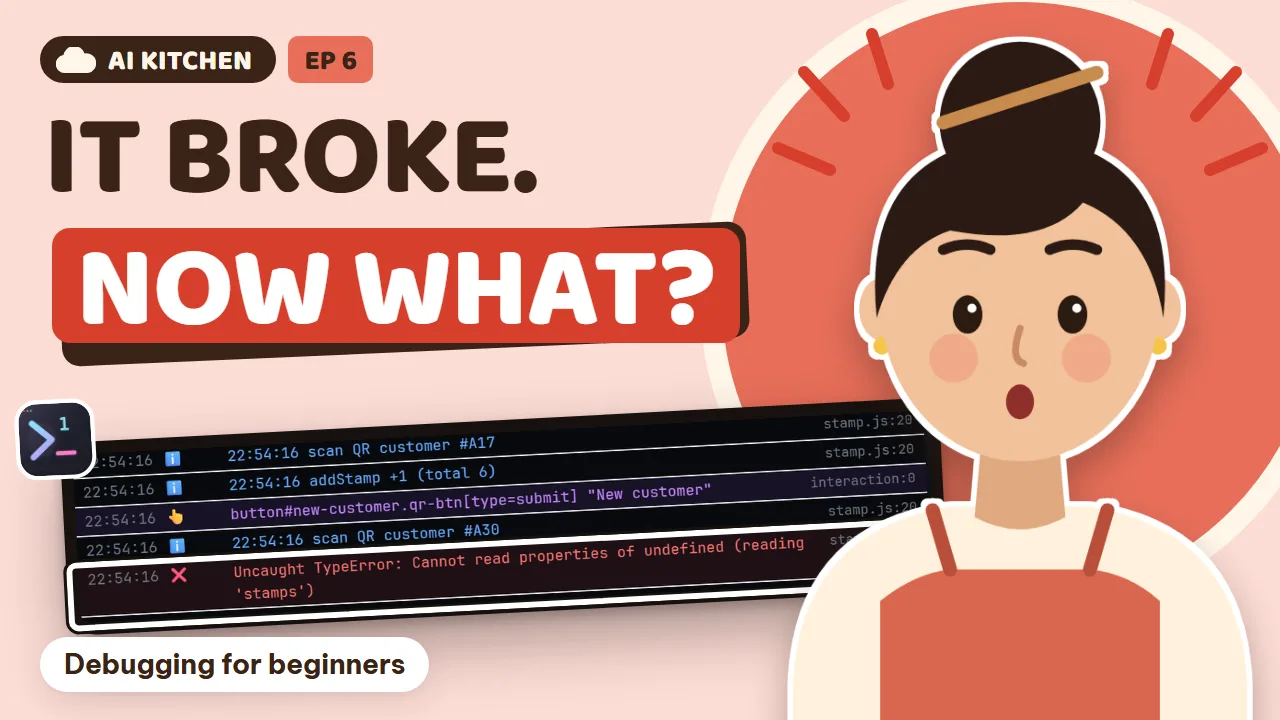
Tu: That diary is called a log. Each line is one thing that happened. Web pages have their own camera too, called the console. Any error on the page, the console records it. And the red line, usually starting with the word error, is where you look first.
Lan: Oh no, red text makes me want to close the laptop.
Tu: Read it like a receipt. The first line says what happened. The lines after it say where it happened, and who called it. That list going backwards from the broken spot to the start is called a stack trace.
Tu: Like following the cat's paw prints back to the glass it knocked over.
Lan: Your examples are getting more and more far-fetched.
Tu: In 1DevTool's Browser panel, open the debug section and the console sits right next to the page. Tap the scan button, and you see two add-stamp lines firing at once. And a red line you never knew about.
Tu: You don't have to read it all yourself. Press Send to AI, and 1DevTool bundles the console, the network requests and a screenshot of the page for the chef.
Lan: Like sending the camera footage to the repairman, instead of explaining everything.
Tu: Terminals work the same way. Highlight the error text, right-click, and choose Send to AI.
AI Head Chef: Got it. There are two problems: the scan button adds stamps twice, and a new customer's card has no stamp count yet, so it errors. I'll fix both.
Lan: I didn't even know about the second one. The camera really does see everything.
Tu: New words: log, console, error, and stack trace.
Tu: Try it now: open your page in the Browser panel, check the console for red lines, and send them to the chef with Send to AI.
Chapter 4: The frozen chef
Tu: Review: what's the console?
Lan: The web page's camera! The red line is where you look first.
Lan: Huh, where's the line cook? I gave them a job ten minutes ago, and their pane hasn't moved. Hello? Are you still there?
Tu: A chef can freeze for lots of reasons. Sometimes they've run out of usage, sometimes they need to sign in again, sometimes a pop-up covers the screen.
Lan: So I have to guess which one it is?
Tu: No guessing. 1DevTool has a doctor for chefs, called AI Diagnosis.
Tu: A chef that won't take new work is called stuck. When a chef won't accept a job for about two minutes, another AI reads its screen and tells you why: out of usage, waiting for a sign-in, or blocked by some pop-up.
Tu: It only reads the screen after you've agreed once, because a screen can show private information.
Tu: This is the AI Diagnosis section. You choose which chefs can act as doctors, in order. A stuck chef never examines itself. If the line cook's seat has a backup, the job goes straight to the backup. If not,
Tu: you get a notification saying exactly what's wrong.
Lan: So the line cook ran out of usage. A shift change and we're done.
Lan: And the laptop. Ever since Mochi pulled the cable, it's been crawling.
Tu: For that, check the Resource Manager. It tells you what's keeping your computer busy.
Tu: It splits things into three clear parts: 1DevTool itself, the terminals you started, and the other apps on your computer. A terminal hogging the machine gets its own row, with a Reveal button to jump straight to it. And if the whole window freezes,
Tu: a red dot shows up in the bottom bar. When it comes back, it tells you why it froze.
Lan: Ah, it's the browser with thirty tabs I opened yesterday.
Tu: The chefs aren't to blame. The kitchen's just a bit crowded.
Tu: New words: stuck, diagnosis, and resources.
Tu: Try it now: open the Resource Manager in the bottom bar, and see what's using your computer the most.
Chapter 5: Mystery shoppers
Tu: Quick review: what does stuck mean?
Lan: A frozen chef that won't take work. Call the doctor, AI Diagnosis.
Lan: The head chef has fixed the two-stamp bug. This time I'll taste it properly before I approve.
Tu: Good. But you can't re-taste every dish after every fix yourself. The loyalty card has a dozen rules. Big restaurants have mystery shoppers: people who eat from a checklist and score each dish. Software has them too, and they never get tired.
Tu: That mystery shopper is called a test, an automatic check. A small piece of code tries the app and says pass, or fail. A test for one small piece, like the add-a-stamp rule, is called a unit test.
Tu: And when fixing one thing breaks something else that used to work, that's called a regression. Exactly what happened this morning.
Lan: So what will the loyalty card's mystery shoppers check?
Tu: One scan gives exactly one stamp. Ten stamps make the eleventh coffee free. And scanning over and over gives at most three stamps a day. Do these sound familiar? They're the done-means lines from the work tickets in episode two.
Tu: Ask the chef to write tests for these rules, and run them. They run right in the terminal. Green ticks mean pass. And look: the scan-once test, run on this morning's bad version, turns red.
Lan: So if we'd had this test before, the bug would have been caught before it reached a customer.
Tu: Remember episode four? We have hooks, the café's house rules that run automatically. Now add one more rule: any chef who says a job is done must run all the tests first. Any red test means it's not done yet.
AI Taster: I love this rule. Now I don't have to re-taste all the old dishes over and over.
Tu: New words: test, unit test, and regression.
Tu: Try it now: pick the most important rule in your app, ask the chef to write a test for it, and run it to see if it goes green.
Chapter 6: The leaked key
Tu: Review: what's a regression?
Lan: When fixing one thing breaks something else that used to work.
Bin: Auntie Lan! That picture you posted in the customer group this morning, to apologize for the two stamps.
Lan: Yes, I took a screenshot to show everyone the café fixed it.
Bin: The corner of the picture shows the API key for the café's text message service. Anyone can read it.
Lan: Oh no.
Tu: Stay calm. An API key is like the key to the café's storeroom. Whoever holds it can get in, and you're the one paying. Deleting the post isn't enough, because someone may have saved it already.
Tu: The right move is to change the lock: go to the service's page, cancel the old key, and create a new one.
Lan: Done. The old key doesn't open anything anymore.
Tu: Things like API keys and passwords are called secrets. Cancelling the old key and making a new one is called rotating the key. Remember the dot env file from episode one? Secrets belong in there. And that file is on the gitignore list,
Tu: so it never gets uploaded.
Tu: 1DevTool has an Env Manager. All your project's secrets live here, one name and one value per row. Secret values are hidden by default; click to reveal one. So next time you take a screenshot, nothing leaks.
Lan: I paste the new key here and that's it. The chefs read it from this file, and nobody copies the key into the code.
Bin: But Auntie, what if an AI chef copies the key into the code by itself?
Tu: Great question. It does happen. So whenever you review a change, glance for any strange string that looks like a key. Or just ask a chef to check for you: search the code for anything that looks like a real key.
Tu: Let me sum up the three places a real key must never go. In the chat box with an AI, in a screenshot you post online, and in the code.
Lan: Three places. Got it.
Tu: New words: secret, rotate, and gitignore.
Tu: Try it now: open the Env Manager, see which keys your project has, and ask the chef: is a real key copied anywhere in the code?
Chapter 7: The lessons book
Tu: Quick review: if an API key leaks, is deleting the post enough?
Lan: No! You have to rotate: cancel the old key, and create a new one.
Lan: Ten at night. The café is closed. Everything works again. I just want to sleep.
Tu: One last thing. Let's write the lessons book, so this bug never happens again.
Lan: Fifteen minutes, that's all.
Tu: The lessons book after an incident is called a post-mortem. It doesn't ask who's to blame. It asks: what happened, why, and what we'll do differently next time. The most important question is about the root,
Tu: called the root cause. Not the leaves of the problem, but the root.
Tu: Git history is the most accurate timeline. Every commit has a time, an author, and what changed. The update at five past seven, the revert at seven twenty-five, the fix with its tests at nine. Everything leaves a trace.
Lan: Why did each coffee get two stamps? Because the chef attached the add-a-stamp job twice.
Tu: Why did the bug reach customers? Because you approved it when it looked nice, without scanning once. Why did nobody notice? Because there was no test for the stamp rule.
Lan: So the root cause is: the dish was served before anyone tasted it.
AI Head Chef: I'm sorry, Lan. I attached the scan button twice and didn't test it again myself.
Tu: Let me be honest. This bug was written by the AI chef, and approved by you without tasting. You share the blame. And the fix isn't a better prompt. Every chef makes mistakes sometimes. The fix is a process.
Lan: Tests, a hook that runs before anything is called done, and I always scan once before I approve.
Tu: New words: post-mortem, root cause, and blameless.
Tu: Try it now: think of a bug you've had, and ask why three times in a row. The last answer is the root cause.
Chapter 8: The crisis card
Regular: Lan, I read the café's apology. That was such a quick fix, and we even got bonus stamps for Tết. I've edited my post: Cloud Café handled it beautifully!
Lan: Thank you. This white coffee's on me.
Tu: One last thing. This morning you only found out about the bug because a customer told you. It's better to know before the customers do. Watching the kitchen all the time is called monitoring. Next episode, when the café opens up to the real world,
Tu: we'll need it even more. But today, you only need one card: the crisis checklist.
Tu: Seven steps. One: breathe, don't rush a fix. Two: stop the bleeding, revert the bad version. Three: reproduce the bug, write down expected and actual. Four: check the logs and the console. Five: fix it with a test. Six: if a key leaked, rotate it now.
Tu: Seven: write the lessons book.
Lan: I'm printing it and sticking it next to the cash register.
Tu: The last new words: monitoring, and checklist.
Tu: This episode you learned incident, rollback, revert. You learned reproduce, expected and actual. You learned log, console, error, stack trace. Then stuck, diagnosis, resources. Then test, unit test, regression.
Tu: Then secret, rotate, gitignore. Post-mortem, root cause, blameless. And finally monitoring and checklist.
Lan: Twenty-four more words. And more importantly: next time there's an incident, I won't panic.
Tu: Did you notice? Today you didn't fix a single line of code. You just did things in the right order, and the café stayed busy.
Lan: Incidents aren't scary. What's scary is not knowing what to do first.
Regular: Lan, can I pay online? I want to use my points at the second branch too.
Lan: Time to really open up to the world.
Tu: Next time: Open to the World. Payments, customer accounts, and the café's very own address.
Tu: Download 1DevTool, print the crisis card, and stay calm in front of your first bug.
Lan: See you at Cloud Café, in episode seven!
AI Head Chef: Lan, I reverted the bad version. But I accidentally reverted white coffee off the menu too.
Lan: Put the white coffee back now! If the regulars notice, that's a real incident!