Courses/AI Kitchen/Episode 3
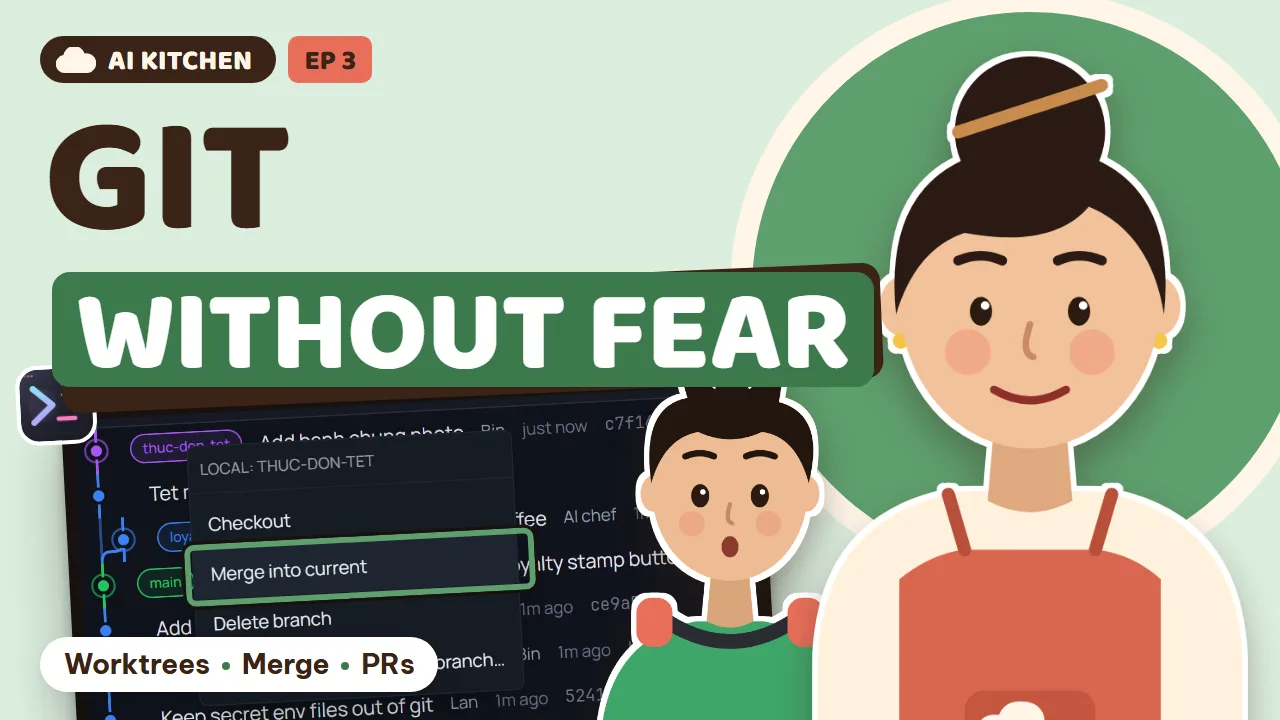
The Shared Kitchen
Nephew Bin joins. Git for beginners: history, worktrees, merging, conflicts, pull requests, and the house rules for a shared repo.
Bin wants to help with the Tết menu while two AI agents work on the loyalty app. Everyone edits the same file, and chaos follows. Tú introduces the dish's photo album (history), a prep station for everyone (worktrees), merging the pots, presenting the dish (pull requests), who seasoned this pot (agent changes), the suggestion box (issues and CI), and the recipe vault in the cloud (GitHub).
24 new words, from History to Small commit. Honest note: merge conflicts still happen, and an AI can resolve them wrongly. You still taste.
What you will learn
- Git history as a photo album, and going back to any version (git revert)
- Git worktrees: a separate prep station for every cook, human or AI
- Merging, and what a merge conflict really is
- Pull requests: presenting the dish for approval
- Seeing which AI agent changed what
- Issues, CI pipelines, push and pull, and house rules for a shared repo
- History
- the list of every save
- Version
- one saved state
- Revert
- undo exactly one change
- Worktree
- your own prep station
- Main
- the main branch customers use
- Env file
- the file with the secret keys
- Merge
- combine a branch into main
- Conflict
- two people changed the same spot
- Resolve
- settle a conflict
- Pull request
- asking to merge, for review
- Approve
- agree to merge
- Draft
- not ready to present yet
- Overwrite
- writing over someone else's work
- Collision
- two cooks on the same file
- Referee
- suggests how to combine
- Issue
- a recorded bug or suggestion
- Label
- a sorting tag
- CI
- automatic checks on every change
- Push
- send changes up to GitHub
- Pull
- bring new changes down
- Clone
- copy a whole project to another PC
- Fork
- someone's own copy to remix
- Commit message
- the note on each save
- Small commit
- one job per save
Task: Open Git → History in your project, click the latest save, and read the green and red text.
Explain in plain words: what did the latest commit change?
Task: Create a new worktree called experiment, open an agent in it, and ask it to change a button color. Back on main, nothing changed.
Change the order button to a festive Tết red.
Task: Make a small conflict on purpose: two worktrees change the same heading line, then merge both into main.
There is a merge conflict. Explain how the two versions differ, then suggest how to combine them.
Task: Open the Repo panel → Pull requests in a GitHub project, open a pull request and click Send to AI.
Read this pull request and give me three notes: what's good, what needs fixing, and what's risky.
Task: Open Agent Changes, set the project to Watch, let two agents work, then check the Map: who is editing which file.
Task: Turn three pieces of customer feedback into three labelled issues, then send one to an agent.
Read this issue, tell me what might be causing it and how you'd fix it. Don't change anything yet.
Task: Push your project to a private GitHub repo with the Push button, then clone it into another folder.
Generated from the episode’s subtitles. Click a line to jump there.
Tu: Last time, Lan learned to run a whole team of AI chefs. Split the work, assign it, taste it, then merge it.
Lan: And my vocabulary bar hit fifty words. I leveled up!
Bin: Aunt Lan! I'm here to help in the kitchen. I'm really good at games, so websites should be easy.
Lan: Great. I've got two AI chefs on the loyalty app. Can you do the Tết menu page for me?
Bin: Easy. I'll fix the prices for the sticky rice cakes and the candied fruit, right in the menu file.
Lan: Two hours later...
Bin: Aunt Lan! My rice cake prices are gone! Who wrote over them?
Lan: The AI chef just edited that same file to add a loyalty button. Now the menu shows the wrong prices, and the button is off to one side.
Tu: Let me guess: three cooks, one pot, and nobody knows who just threw what in?
Lan: Exactly. And now I don't know whose fault it is that the dish is too salty.
Tu: Today we learn how lots of cooks can work together without stepping on each other's toes. Real people and AI chefs alike.
Tu: Eight chapters. From the save game button in episode one, to a prep station for everyone, merging pots, presenting a dish for approval, and keeping the recipes in the cloud. And the vocabulary bar picks up from fifty words.
Tu: A review from episode one: what's a commit?
Lan: A photo of the dish! Every time it tastes right, you take a picture, so you can go back if it goes wrong.
Bin: Oh, like a checkpoint in a game! When you die, you respawn at the last checkpoint.
Tu: Exactly. And those photos never disappear. They line up in an album, in order of time.
Lan: So if I open the album, I can see when the rice cake prices were still right?
Tu: Right. That album is called the history. The project's history.
Tu: Look. Photo one is the home page. Then the menu, then the loyalty card. Photo four is when Bin changed the Tết prices. Photo five is when the chef added the button, and accidentally wrote over Bin's prices.
Bin: So we just go back to photo four and my prices are back!
Tu: The history is the album. Each photo in it is a version. And revert means undoing exactly one step, without erasing the others. Like scooping out just the pinch of salt you added, while the rest of the soup stays as it is.
Lan: Here comes Tu with the metaphors again.
Tu: In 1DevTool, open Git, then click the History tab. Each row is one save: who saved it, when, and the note. Click a row to see what that save changed. Green text was added, red text was removed.
Lan: Here it is. The save that added the loyalty button to the menu. That's the one that wrote over Bin's prices.
Tu: Right-click that row. The menu has Revert, to undo just this change. There's also an option to go all the way back to an older photo. But here you don't want to lose the loyalty button. You only want Bin's prices back. So let's not click just yet.
Tu: And the Changes tab shows what's been edited but not saved yet. A big project has lots of files, so switch on the folder tree to make it easier to read.
Lan: Like opening the fridge and seeing which shelf everything is on.
Bin: So whose fault was it in the end? Mine, or the AI chef's?
Tu: Nobody's. The problem is that three cooks were sharing one cutting board. Next chapter, everyone gets their own.
Tu: New words: history, version, and revert.
Tu: Try it now: open History, click the latest save, and read what the green and red text say. If it doesn't make sense, ask a chef to explain.
Chapter 2: A prep station for everyone
Tu: Quick review: what's a version?
Bin: One photo in the album. A checkpoint!
Lan: So how do three cooks avoid sharing one cutting board?
Tu: In a restaurant kitchen, every cook has their own prep station. Everyone chops onions at their own station. Only when it is ready does it go to the main stove.
Tu: The main stove is called main. That is the dish real customers are eating. Everyone takes a copy of the main stove to their own station. Chef one does the loyalty card, Bin does the Tết menu, and chef two does the QR code.
Bin: If someone messes up, it only breaks at their station. The main stove stays clean!
Tu: In episode one you heard the word branch. Each prep station comes with a branch that has its own name. And the station itself, a separate folder on your computer holding a copy of the project, is called a worktree.
Lan: The branch is the name tag. The worktree is the table. Got it.
Tu: In 1DevTool, open Git, go to the Worktrees tab, and create a new one. Give the branch a name, like Tết menu, and you have your own station. Notice this line: secret files like the dot env files,
Tu: which hold passwords and API keys, usually aren't saved in git. 1DevTool asks whether to copy them to the new station.
Lan: So the new station already has the key to the spice cabinet. No hunting for it.
Tu: Once it exists, the status bar at the bottom has a worktree picker next to the branch name. Click it to switch stations. Switch to a station and that station's chef comes to the front. You never lose track of which station you're standing at.
Tu: And when you call in another chef, you pick their station right in the Add Terminal box.
AI Head Chef: Lan, I'm working at the loyalty card station. Nothing I change touches Bin's station.
AI Line Cook: I'm at the QR code station. I'm editing the menu file too, but it's the copy at my own station.
Lan: Three cooks editing one file and nobody steps on anyone's toes. Brilliant.
Tu: New words: worktree, main, and env file.
Tu: Try it now: create a worktree called experiment, open a chef in it, and ask it to change a button's color. Then go back to main: the main stove hasn't changed.
Chapter 3: Merging the pots
Tu: Quick review: what's a worktree?
Lan: Your own prep station. If you mess up there, the main stove stays clean.
Bin: I've finished the Tết menu! How do I get it onto the main stove?
Tu: We merge the pots. Pour Bin's part into the main pot. That's called a merge.
Tu: In Git, the Graph tab draws branches as colored lanes. You can see Bin's lane split off from main and run alongside it. Right-click Bin's branch and choose Merge into current. That merges it into the main stove you have open.
Lan: Merged! The rice cake prices are on the real page.
AI Head Chef: Lan, when I tried to merge the loyalty card, I got an error. There's a conflict in the menu file, on the white coffee price.
Lan: A conflict? Like a fight?
Tu: Pretty much. Bin set the white coffee to thirty-five thousand, and the chef changed the same line to thirty-two thousand, plus a free stamp. Git doesn't know who to listen to.
Tu: This is a conflict. Two people changed the same line, in two different ways. Git stops and marks the spot. Someone has to decide: keep Bin's version, the chef's version, or combine both.
Lan: Bin's new price, plus the chef's stamp. Combine both!
Tu: Merge is pouring the pots together. A conflict is when two cooks season the same spot, each their own way. And resolve means settling it: deciding the final flavor. You can ask an AI chef to do this for you.
Lan: Please resolve the conflict in the menu file. Keep Bin's price of thirty-five thousand, and keep your free stamp.
AI Head Chef: Done. I merged it, ran the menu page, and everything shows correctly.
Tu: But I have to be honest with you. Last time I asked an AI to merge, it kept the old price, and confidently told me it was done. If nobody tastes it again, customers pay the wrong amount. So after every merge, always open the diff to check,
Tu: and open the real page to taste it. And the best trick: merge early, merge often. The smaller the pot, the fewer the fights.
Lan: I've opened the diff. Thirty-five thousand, with the free stamp. Just what I wanted.
Bin: So conflicts aren't scary. You just need someone to taste at the end.
Tu: New words: merge, conflict, and resolve.
Tu: Try it now: create a small conflict on purpose, then ask a chef to explain both versions before merging. Making a mistake on purpose is the fastest way to learn.
Chapter 4: Presenting the dish
Tu: Quick review: what's a conflict?
Bin: Two cooks seasoning the same spot, each their own way!
Lan: One thing, though. Yesterday Bin merged straight into the main stove without asking anyone. Luckily it was right.
Bin: I thought once it was done, I could just merge it.
Tu: In a big restaurant, a new dish never goes straight to the customer's table. The cook presents it to the head chef to taste first. Software has the exact same step.
Tu: That step is called a pull request. It means: I'd like to merge my part into the main stove, please take a look first. Reviewers can comment, ask for changes, or nod it through, which is called approve. A dish that's still cooking stays a draft.
Tu: Here's what a pull request looks like. The dish's name, which branch goes into which, and who's presenting it. Below are the automatic checks, and the taster's comments.
Lan: The rice cake photo is missing. Add it, Bin, and I'll approve.
Bin: Okay. It's like handing in homework for the teacher to mark.
Tu: Your project is stored on GitHub. In 1DevTool, open the Repo panel and its Pull requests tab. The number waiting for review is right on the tab. Click one to read the description, the comments,
Tu: and a line that says whether it's ready to merge or what's blocking it.
Lan: No need to open a browser and find my way around GitHub.
Tu: There's a Send to AI button: it hands the whole pull request to an AI chef to read and comment on, like a second taster. And when you're happy, pick how to merge and click Merge right here. If someone changed it after you looked,
Tu: the app refuses to merge, so you never approve a version you haven't tasted.
Lan: I like that. What I approve is exactly what gets merged.
AI Taster: I've read Bin's pull request. Prices are right, the photo is there. Just one note: ginger jam is misspelled.
Bin: Wait, really? I'll fix it right now.
Lan: A real person presents the dish, an AI chef helps taste it, and the owner approves last. Everyone has a job.
Tu: New words: pull request, approve, and draft.
Tu: Try it now: open a pull request, click Send to AI, and ask the chef for three notes: what's good, what needs fixing, and what's risky.
Chapter 5: Who seasoned this pot?
Tu: Quick review: what's a pull request?
Lan: Presenting a dish for the owner to approve, before it goes into the main stove.
Lan: Worktrees and pull requests are for when the work is finished. But while two AI chefs are cooking in the same project, how do I know who's editing which file?
Tu: Great question. AI chefs are fast. They can change a dozen files in a minute. You need a camera in the kitchen.
Tu: In 1DevTool, that camera is called Agent Changes. It shows you which chef is editing which file, while it's happening. When someone writes over what another person just did, that's an overwrite. Exactly what happened to Bin's rice cake prices.
Tu: And when two chefs go for the same file, that's a collision.
Tu: The home screen answers three questions: what needs you, where two chefs are colliding, and who is working on what. You pick a safety level for the project. Watch only observes. Guide also tells the chefs where the others are working,
Tu: so they can steer clear.
Lan: It doesn't block anyone, just a gentle reminder. Like the notice board at the kitchen door.
Tu: And there's more: every version of every file a chef edits is kept, labelled with who wrote it. Even if nobody saved it with git yet. To get Bin's version back, open the file, pick the version, and put it back.
Bin: So my work never gets lost again!
Tu: And when two chefs edit the same file, you get the call. A review screen explains what happened. It shows each chef's version, a merged version, and if you like, a suggestion from an AI referee. Whatever you choose, nothing is deleted.
Lan: I make the call, but a referee makes a suggestion. That saves me a headache.
AI Head Chef: Lan, Agent Changes says my colleague is editing the loyalty card file. I'll do another part first, so we don't collide.
AI Line Cook: Thanks. I'll be done in two minutes.
Lan: The two chefs make way for each other. Meanwhile Mochi is sprawled across the keyboard, making way for nobody.
Tu: New words: overwrite, collision, and referee.
Tu: Try it now: switch Agent Changes to Watch, let two chefs work at once, then look at the map: which line connects which chef to which file.
Chapter 6: The suggestion box
Tu: Quick review: what's an overwrite?
Bin: When the next person writes over what the last one did. Like my rice cake prices!
Regular: Lan, on my phone the loyalty button is half hidden. And the promotion still has last year's date.
Lan: Thank you, I'll write that down right away.
Regular: Oh, and do you sell white coffee in a large size?
Lan: So much feedback. Paper notes get lost, and messages get buried.
Tu: Every kitchen needs a suggestion box. Each piece of feedback is a numbered letter with a status: open or handled.
Tu: That letter is called an issue. Each issue can get a label: bug, idea, or urgent. And CI is a machine that automatically tastes every time someone merges something new. If the dish is broken, it shouts right away.
Lan: A taster that never gets tired. I need one of those.
Tu: Still in the Repo panel, the Issues tab. Create a new issue for each piece of feedback, label it, and assign it. Best of all, there's a button that sends an issue straight to an AI chef. The letter lands right in the chef's input box,
Tu: so you don't copy anything.
Lan: Feedback in the morning, fixed by lunch.
Tu: The Pipelines tab is the tasting machine's queue. Each merge starts a run of checks. Green means pass, red means broken. Click Watch, and when a run goes from green to red, your computer tells you right away, even while you're doing something else.
Lan: Like a smoke alarm in the kitchen.
Lan: Letter fourteen, the hidden button, goes to the AI chef. Fifteen, the wrong year, goes to Bin. It's just text. Bin can do it.
Bin: And sixteen, the large white coffee... that's your call. I only do the code.
Tu: New words: issue, label, and CI.
Tu: Try it now: turn three pieces of customer feedback into three labelled issues, then send one to an AI chef, and tell it to explain before it fixes anything.
Chapter 7: The recipe vault in the cloud
Tu: Quick review: what's an issue?
Lan: A letter in the suggestion box. It has a number, a label, and someone assigned.
Bin: Aunt Lan, I want to keep working at home. But the code is on the café's computer.
Lan: And what if someone spills coffee on the café computer? Ten years of my recipes are in there.
Tu: That's why we keep a copy in the cloud, on GitHub. Like putting the recipes in a shared, locked cabinet. Sending recipes from your computer up to the cabinet is called push. Bringing the newest version down is called pull.
Bin: The first time at home, I copy the whole cabinet down. What is that called?
Tu: That's a clone. A copy of the whole project, photo album and all.
Tu: And a fork is when someone outside takes your recipes to make their own copy, tweaks it, and can present it back to you with a pull request.
Lan: Like the café next door borrowing my white coffee recipe. If they make it better, they invite me to taste.
Tu: In 1DevTool, the top of the Git panel has three buttons: Fetch, Pull, and Push. Fetch just asks the cabinet what's new, without bringing it down. If a push fails, the app says why, for example the account doesn't have permission,
Tu: and shows you what to fix.
Lan: I like errors that speak human.
Bin: I cloned it at home! The whole history album is there, and my Tết menu branch too.
Tu: Every time you sit down to cook, pull first. When you finish, push. Forget to pull and you are cooking from an old recipe.
Lan: Pull before you cook, push after you cook. I'm putting that on the fridge.
Tu: New words: push, pull, clone, and fork.
Tu: Try it now: push your project to a private repository on GitHub, then clone it into another folder. If the whole history album is there, you did it.
Chapter 8: Shared kitchen rules
Tu: Quick review: what's a push?
Bin: Sending the recipes up to the shared cabinet on GitHub. And pull brings them down. I remember it all!
Lan: Bin, why is there a save with the note j j j j j?
Bin: It wasn't me! Mochi walked across the keyboard and hit commit.
Tu: That's why we need rules for a shared kitchen. For people, for AI, and for cats.
Tu: Five rules. One: everyone gets their own prep station. Nobody cooks directly on the main stove. Two: save small, save often. Each save does one thing. Three: write a clear note, so the next person understands.
Tu: Four: never take a dish straight to the customer. Always open a pull request. Five: pull before you cook, push after you cook.
Tu: The note under each save is called a commit message. Write it like a note for the next person: add the rice cake photo to the Tết menu. Save small, and when something breaks, you only undo one small photo, not a whole afternoon of work.
Tu: New words: commit message, and small commit.
Bin: Aunt Lan, can I ask the chef to write my commit message for me?
AI Head Chef: Of course. I read what Bin changed and wrote: update the promotion to this year, closes issue fifteen.
Lan: The chef writes clearer notes than I do. But I still read it before saving.
Tu: Look back at this week's album. Every photo is small, with a clear note, went through a pull request, and was tasted before merging.
Lan: Compared with that messy pot on day one, it's like night and day.
Bin: And Mochi's j j j j j save has been undone with revert!
Tu: This episode you learned history, version, and revert. Worktree, main, and env file. Merge, conflict, resolve. Pull request, approve, draft. Then overwrite, collision, and referee. Then issue, label, CI. Push, pull, clone, fork. And finally,
Tu: commit message and small commit.
Lan: Twenty-four more words. Seventy-four in total! Almost at a hundred!
Tu: Did you notice? Last time you learned to manage AI chefs. This time you learned how real people and AI can cook together without stepping on each other's toes.
Bin: I learned loads too. Turns out making websites has checkpoints, co-op, and even queues, just like games.
Lan: But one thing bugs me. One chef writes promotions all formal, the other writes like a teenager online. Why doesn't anyone remember the café's voice?
Tu: Next time: The House Recipe Book. We write a recipe book that every chef reads before they start.
Lan: Teach them once, and never repeat myself again. I've been waiting for that one.
Tu: Download 1DevTool, set up your first prep station, and present your first dish with a pull request.
Lan: See you at Cloud Café, in episode four!
AI Head Chef: Lan, I've resolved the conflict. I kept both white coffee prices, so customers can pick the cheaper one.
Lan: No way! We'd go bankrupt!