Courses/AI Kitchen/Episode 4
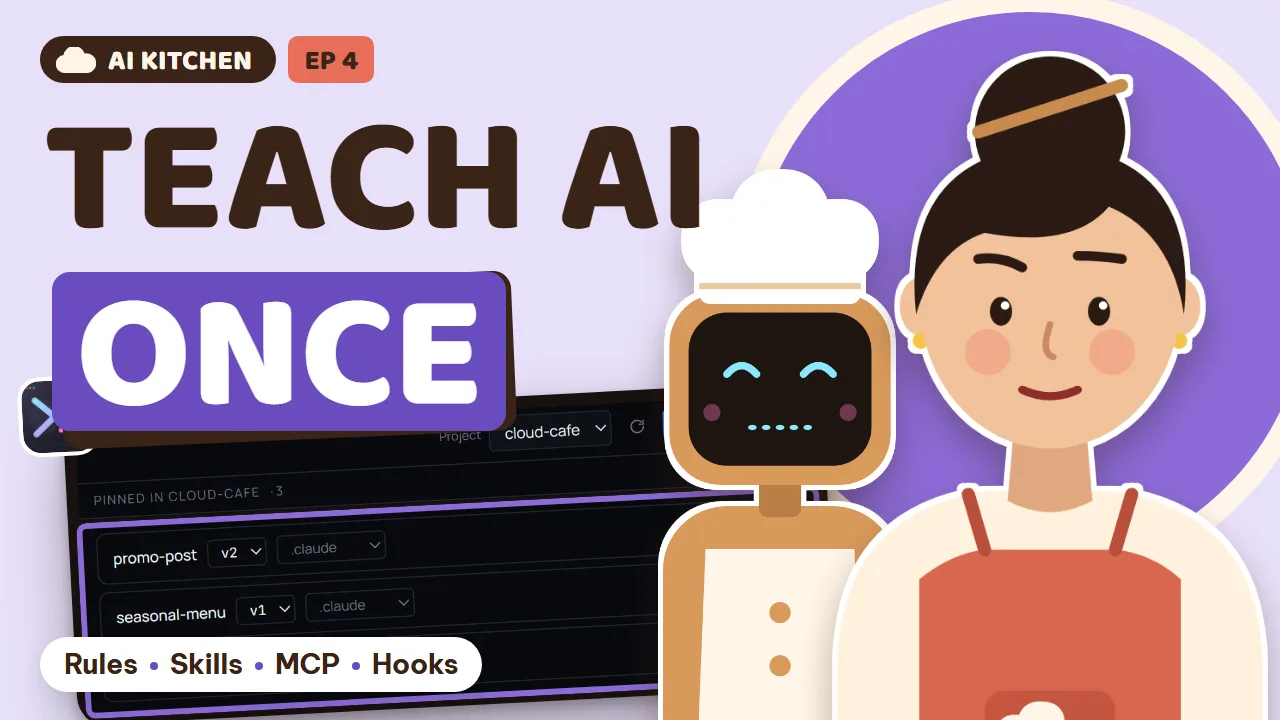
The House Recipe Book
Teach your AI chefs once: rules files, skills, MCP servers, hooks, memory, prompt history, screenshots and custom agents.
Every chef forgets the house style: the café's tone, prices in đồng, the brand colours. Lan writes the café's recipe book once, gives chefs proper tools and sets kitchen rules that run by themselves, so she stops repeating herself in every prompt.
26 new words, from Context to Extension. Honest note: more instructions isn't always better. A bloated rulebook confuses the chef, so keep it short.
What you will learn
- Rules files (CLAUDE.md / AGENTS.md): the rulebook every agent reads first
- Skills: recipe cards an agent learns once and reuses
- MCP servers: giving your AI agent real tools like a browser and a database
- Hooks: kitchen rules that run automatically
- Agent memory and resuming AI sessions
- Prompt history, screenshots, browser profiles and custom agents
- Context
- what the AI knows when it starts
- Instructions
- what you tell it
- Rules file
- a file the AI reads every shift
- Skill
- a recipe card for one job
- Library
- the drawer of skills
- Version
- which edit it is
- Pin
- lock one version for a project
- MCP
- a standard socket for tools
- Tool
- an appliance the AI can use
- Server
- the machine that provides the tools
- Hook
- a bell that rings at the right moment
- Event
- the moment the bell rings
- Automation
- a job that runs by itself
- Memory
- the AI's notebook
- Session
- one shift, one conversation
- Resume
- continue an unfinished shift
- Prompt history
- every ticket you've sent
- Draft
- a ticket not sent yet
- Template
- a model ticket with blanks
- Screenshot
- a picture of your screen
- Annotate
- mark up a picture
- Profile
- a separate identity in the browser
- Cookie
- a ticket so a website remembers you
- CLI
- a program you run from the command line
- Custom agent
- an AI chef you add yourself
- Extension
- a panel you can switch on or off
Task: Write a 5-line rulebook for your project, then open a new chat and check whether the AI follows it.
Read this project and write me a short rules file, five lines at most: tone of voice, currency, colors, and how to test before saying it's done.
Task: Pick a job you do every week and ask the AI to write it up as a skill with clear steps.
Turn the following job into a skill with clear steps, so next time I only have to say its name: [a job you do every week]
Task: Ask an agent a question that needs real data, like counting rows in your orders table, and watch it use 1DevTool's tools.
Using 1DevTool's database tool, count yesterday's orders and tell me the best-selling item.
Task: Open Tools → Hooks, see which hooks your agents already have, and read when each one runs.
Task: Open Resume AI Sessions, find yesterday's conversation, and continue it instead of starting a new one.
Task: Open Prompt History, find the best prompt you ever sent, and turn it into a template with blanks.
Turn this prompt into a template, replacing the parts that change with [blanks]: [your prompt]
Task: Turn on Screenshots in Settings → Extensions, capture a mistake on your page, circle it, and send it to an agent.
Task: Open Settings → Extensions, turn off a panel you don't use yet, and reread your rulebook for lines you can cut.
Generated from the episode’s subtitles. Click a line to jump there.
Tu: Last time, Lan and her nephew Bin learned to share one kitchen: a prep station for each cook, careful merging, and presenting every dish before serving it.
Lan: Nobody steps on anyone's toes anymore. And Bin learned to save in small steps!
Lan: I asked three chefs to write a white coffee promotion. The first one wrote like a government letter: Dear valued customer.
Bin: The second one wrote it all in my friends' slang. And the third one put the price in US dollars!
Lan: Three posts, three voices, and none of them sound like Cloud Café.
Tu: Lan, why do you look like a cold cup of coffee?
Lan: Every day I explain it all again: prices in dong, a friendly tone, caramel brown. I keep telling them, and they keep forgetting.
Tu: Because you're telling them out loud. Every famous kitchen has its own house book. Today we write one for the café.
Tu: This episode, we learn to teach our AI chefs just once. Eight chapters, from a house rulebook all the way to inviting a brand new chef into the kitchen. The vocabulary bar keeps going from the last episodes.
Tu: Review time, Bin: what's a worktree?
Bin: A separate prep station for each cook! I remember.
Bin: Uncle Tu, I told the AI three times: prices in dong. I open a new chat and it's forgotten everything.
Tu: Every new chat, the AI chef is like someone starting a new shift. It doesn't remember who said what yesterday. So we put a book by the kitchen door. Whoever starts a shift reads it first.
Tu: Everything the chef knows when it starts working is called context. What you tell it is called instructions. And when the instructions are written in a file the chef reads every shift, that's a rules file, the house rulebook.
Lan: So I only have to write it once?
Tu: Exactly. Let's write one. Line one: prices are always in dong. Line two: a friendly tone, call the customer you. Line three: the main colors are caramel brown and cream. Line four: after a change, test it before saying it's done.
Lan: Add line five: never touch the password file. That scared me enough last time.
Tu: Just five lines. Short, clear, anyone can follow it.
Tu: Each chef reads its rulebook from its own file. Claude reads CLAUDE dot md, and Codex and many others read AGENTS dot md. In 1DevTool, the Memory panel puts all those files in one place. Pick the project, pick the chef, and open the book to edit it.
Lan: No need to remember which file belongs to whom. So handy.
Lan: Head chef, could you rewrite the white coffee promotion for me?
AI Head Chef: Sure. Cloud white coffee, only thirty-two thousand dong. Drop by, friend, and the first cup of the week comes with extra creamy foam.
Lan: That's exactly our voice! And I didn't say a word.
Customer: Lan, today's post was so cute, and the price was really clear. One white coffee for me, please!
Lan: Coming right up! The rulebook really works.
Tu: New words this chapter: context, instructions, and rules file.
Tu: Try it now: write a five-line rulebook for your project, then open a new chat and see if the chef follows it.
Chapter 2: Recipe cards
Tu: Quick question: what is a rules file like in the café?
Lan: The rulebook by the kitchen door. Everyone reads it at the start of a shift.
Lan: Every Friday I ask a chef for the weekend promotion. And every time I explain the steps again: pick the dish, take the photo, write the post, publish it.
Tu: That shouldn't go in the rulebook. If the book gets too long, nobody reads all of it. A job with fixed steps gets its own recipe card. Take it out when you need it, leave it in the drawer when you don't.
Tu: That card is called a skill. It teaches the chef one specific job, step by step. The drawer of cards is the library. And every time you change a recipe, it gets a new number, called a version.
Lan: Like our white coffee recipe: version one a bit too sweet, version two less sugar, version three extra cream.
Tu: Your drawer has three cards: writing a promotion, making a seasonal menu, and the brand colors. Best part: learn it once, use it everywhere. When you open the second branch, just hand the same card to that kitchen.
Lan: No more copying by hand. I love it.
Tu: In 1DevTool, open Skills and choose Control Plane. This is the card drawer on your computer, and every card has a clear version number. You choose which project uses which card, and which version.
Tu: Before applying, it shows exactly what it will add or change. The list of cards is saved inside the project. When Bin pulls the project, he gets the same set of cards, at the same versions.
Bin: Like skill cards in a game! Your character learns a move once, and only uses it in the boss fight.
Lan: So what's the difference between the rulebook and a recipe card?
Tu: The chef reads the rulebook every day, for every job. A recipe card comes out only for that one job. The book stays thin, the cards hold the detail.
Tu: New words: skill, library, version, and pin, which means locking one version for a project.
Tu: Try it now: pick a job you do every week, and ask the chef to write it up as a skill.
Chapter 3: Tools for the chef
Tu: Review: what's a skill?
Bin: A recipe card! Learn the move once, use it again and again.
Lan: Head chef, how many orders did we sell yesterday?
AI Head Chef: Sorry, I can only read the files in the project. The order book lives in the database, and I can't open it.
Lan: A great chef without the key to the cupboard. Poor thing.
Tu: Imagine the kitchen has one standard power socket. Any tool with the right plug just works. That socket is called MCP. Each appliance is called a tool. And the machine behind the socket that provides those tools is called an MCP server.
Lan: A standard socket, so any chef can plug in?
Tu: Exactly. Claude, Codex, Gemini, any chef that supports MCP can plug in. And 1DevTool already brings four tools for you: the order book, the browser, the waiter who runs the API, and the ticket board.
Tu: So a chef can open the order book, open the website to taste it, check the API, and pick up tickets by itself.
Tu: To plug in other tools, go to Settings, choose MCP, and click Add server. Fill it in once, and 1DevTool writes the right format for each chef: Claude, Codex, Gemini, Cursor, and many more.
Lan: One form, and the whole kitchen gets the new tool.
Lan: Let's try again: how many orders did we sell yesterday?
AI Head Chef: I just opened the order book through MCP. Yesterday we had forty-two orders. The best seller was white coffee, nineteen cups.
Lan: White coffee again! But now we have real numbers to prove it.
Tu: New words: MCP, tool, and server.
Tu: Try it now: ask your chef a question that needs real data, and watch it pick up the tools by itself.
Chapter 4: Automatic kitchen rules
Tu: Review: what is MCP like?
Lan: The standard socket in the kitchen. Any tool with the right plug fits.
Bin: Yesterday the chef fixed the menu page and said it was done. I opened it and it was completely blank.
Lan: The rulebook clearly says: test after every change. And it still forgot.
Tu: Instructions sometimes get forgotten. For the important things, don't just tell them. Install a bell.
Bin: So I'll install a bell that tests it automatically, and nobody has to remind it!
Tu: Like the bell on an oven: when the bread is ready it rings, and nobody has to stand there watching. In software, that bell is called a hook. Each bell is tied to a moment, called an event. For example, before the chef edits a file,
Tu: or after the chef finishes cooking. When the bell rings, a job runs by itself. That's automation.
Tu: Bell one: before the chef edits a file, check whether it's the password file. If it is, stop it. Bell two: after the chef finishes cooking, test the website automatically. If it's broken, we know right away.
Tu: Bell three: when a new shift starts, read yesterday's notes.
Tu: In 1DevTool, open Tools and choose Hooks. Every bell from every chef is in one place, grouped by chef. Each row says when the bell rings and which file it lives in. To turn one off, flip the switch. Made a mistake? Click Undo.
Lan: There's even a Pause my hooks switch. It turns all the bells off at once, and back on exactly as they were.
Lan: So how is the rulebook different from a bell?
Tu: The rulebook is advice, and a chef can forget it. A bell rings every single time. Anything that loses customers if it's forgotten deserves a bell. But remember: a bell runs real commands on your computer.
Tu: Only install bells you understand, from sources you trust.
Tu: New words: hook, event, and automation.
Tu: Try it now: open the Hooks dialog, see which bells your chefs already have, and when each one rings.
Chapter 5: The chef's memory
Tu: Review time: what's a hook?
Bin: A bell that rings by itself! Like the oven bell when the bread's ready.
Lan: Good morning! Let's keep going on yesterday's promotion page.
AI Head Chef: Good morning. What did we do yesterday? I just started my shift.
Lan: Oh no, we talked the whole afternoon yesterday!
Tu: Each conversation with a chef is a shift, called a session. Open a new chat, and it's a new shift with an empty head. To continue an old shift, we use resume. It means going back to exactly where you left off.
Tu: And the things the chef learns and wants to keep, it writes in its own notebook, called memory.
Lan: So how many kinds of memory does a chef have?
Tu: Three layers. The rulebook you write, read at every shift. The notebook, where the chef writes what it learned. And the unfinished shift, which reopens the whole conversation.
Lan: The owner's rulebook, the chef's notebook, and the unfinished shift. Easy.
Tu: In 1DevTool, open Resume AI Sessions. On the left is the list of past shifts, on the right a preview of the whole conversation. Group them by date, by project, or by chef. Find yesterday's shift, click resume, and the chef remembers everything.
Lan: So the chef doesn't lose its memory every morning anymore.
Tu: The Memory panel also lets you read and edit each chef's notebook. If a line is wrong, delete it. If you also use 1AIVault, your own memory vault, the Memory panel can read it too. Pick a note and send it straight to a chef.
Lan: Does it change my vault?
Tu: No. 1DevTool only reads your vault. It never changes it.
Tu: New words: memory, session, and resume.
Tu: Try it now: find yesterday's shift and continue it, instead of starting over.
Chapter 6: Reuse the tickets that worked
Tu: Review: what does resume mean?
Lan: Going back to exactly where the shift stopped, and the chef remembers everything.
Lan: Last month I wrote a great order ticket, and the chef made a beautiful Mid-Autumn banner. Now I can't find it anywhere.
Bin: Same here. Once I wrote a super long ticket, and the power went out before I sent it. Gone.
Lan: A great ticket you didn't keep is such a waste.
Tu: Every ticket you've ever sent is kept on a clip. That's your prompt history. A ticket you haven't sent yet is a draft. And a model ticket where you just fill in the blanks is a template.
Bin: A template is like a ready-made outfit in a game. Just change the color and you're done!
Tu: Open Prompt History. On the left, tickets grouped by day. On the right, the whole ticket, which chef it went to, and in which project. Type Mid-Autumn and there it is. Click Copy to take it and tweak it,
Tu: or Send to terminal to hand it straight to a chef.
Lan: Found it! Last year's banner.
Tu: And for Bin's power cut: turn on the Auto-save draft switch in the input box. Whatever you're typing is saved as a draft. Pasted images and files are kept with the draft too.
Bin: So next time the power goes out, my ticket is still there. Awesome.
Tu: A little trick: any ticket you use often, turn it into a template. Put the parts that change in square brackets.
Lan: White coffee this week, salted coffee next week, I just change the dish and the price. The ticket's ready in five seconds.
Tu: New words: prompt history, draft, and template.
Tu: Try it now: find the best ticket you ever sent, and turn it into a template.
Chapter 7: Show it, don't describe it
Tu: Review time, Bin: what's a draft?
Bin: An unsent ticket! Safe even in a power cut.
Lan: Head chef, the order button is a bit to the right, a bit too big, and the color is kind of strange.
AI Head Chef: How far to the right? How much bigger? Strange in what way?
Lan: Mochi! Get off the keyboard. Okay, describing it in words is too hard.
Tu: We learned it in episode one: showing beats describing. A picture of your screen is called a screenshot. Drawing arrows and circling the mistake on the picture is called annotating. And a profile, I'll explain in a minute.
Tu: It's like every customer having their own key.
Tu: Go to Settings, choose Extensions, and turn on Screenshots. It's off by default, and only runs when you switch it on. Then press Control Shift two in any app. Drag a region, draw arrows, add numbers, highlight things.
Tu: Click send, and the picture lands right in the chef's input box, with a message alongside it.
Lan: And what's this about keys? I'm logged into the website as the owner. To see it as a customer I keep having to log out.
Tu: Every time you log in, the website hands the browser a little ticket to remember who you are. That ticket is called a cookie.
Tu: In 1DevTool, each browser profile keeps its own set of tickets. One tab is the owner, another is a test customer, and they never mix. Create profiles in Settings under Browser. Switch a tab's profile right from the toolbar.
Lan: And when a chef opens a tab, it plays that same role?
Tu: Exactly. When a chef drives the browser, it uses that tab's profile.
Tu: New words: screenshot, annotate, profile, and cookie.
Tu: Try it now: screenshot a mistake on your page, circle it, and send it to your chef.
Chapter 8: Your own chef, a tidy kitchen
Tu: Last question: what does a browser profile do?
Lan: Each tab gets its own key. An owner tab and a test customer tab.
Bin: Uncle Tu, my friend showed me a brand new AI chef that runs from one command. But it's not in 1DevTool's list.
Tu: No problem. Any chef that runs from the command line can join the kitchen. A program you run from the command line is called a CLI.
Lan: Like hiring an outside chef who isn't in our contact book yet. We just write their name in ourselves.
Tu: Go to Settings, choose Agents, and find Commands. Add the new chef's command, mark it as AI, and open Agent integration. Give it a name, a color, and a logo. From now on it shows up everywhere the built-in chefs do:
Tu: adding a terminal, prompt history, memory.
Bin: And if you tell it where its conversations are saved, it can pick up where it left off after a restart!
Tu: On the other hand, put away anything you don't use. Settings, choose Extensions, and every panel has a switch. Don't need the order book or the phone emulator yet? Turn them off. Turn them back on anytime, and everything is right where you left it.
Lan: I love the rulebook. I'm going to make it forty pages long!
Tu: Honestly, the thicker the book, the more confused the chef gets. It has to read all of it before cooking. That takes time, costs money, and important lines get missed. Keep the rulebook really short. Put the detail on recipe cards.
Tu: Put the things that must never be forgotten on bells.
Lan: Less but better. Like our menu: ten great dishes beat fifty mediocre ones.
Tu: Last new words: CLI, custom agent, and extension.
Tu: Try it now: switch off one panel you don't use, and cross out one unnecessary line in your rulebook.
Tu: Let's look back at the whole episode. Whenever you catch yourself repeating the same thing, remember four steps. One: general rules go in the book. Two: jobs with steps become recipe cards. Three: if the chef needs to touch something, plug in a tool.
Tu: Four: if it must never be forgotten, install a bell.
Lan: Write the book, make the cards, plug in the tools, install the bells. Got it.
Tu: This episode you learned context, instructions, rules file. Skill, library, version, pin. MCP, tool, server. Hook, event, automation. Memory, session, resume. Then prompt history, draft, template.
Tu: Then screenshot, annotate, profile, cookie. And finally CLI, custom agent, extension.
Lan: Twenty-six more words! The vocabulary bar is almost full!
Tu: You see, the house book is like the broth at a pho shop. You cook it once, really carefully, and every bowl tastes right, no matter who's cooking, no matter what day it is, rain or…
Lan: Okay, that's enough, I get it.
Bin: Uncle Tu's doing his comparisons again.
Lan: The second branch opens next week, and all it has is one old computer. I can't be in two places at once.
Tu: Next time: The Night Shift. When your kitchen team keeps working while you sleep.
Tu: Download 1DevTool, and write the first five-line rulebook for your project today.
Lan: See you at Cloud Café, in episode five!
AI Head Chef: I read the rulebook carefully. Line one: always offer customers white coffee. So I added white coffee to the login page too.
Lan: Who wrote that line in the book? Bin!